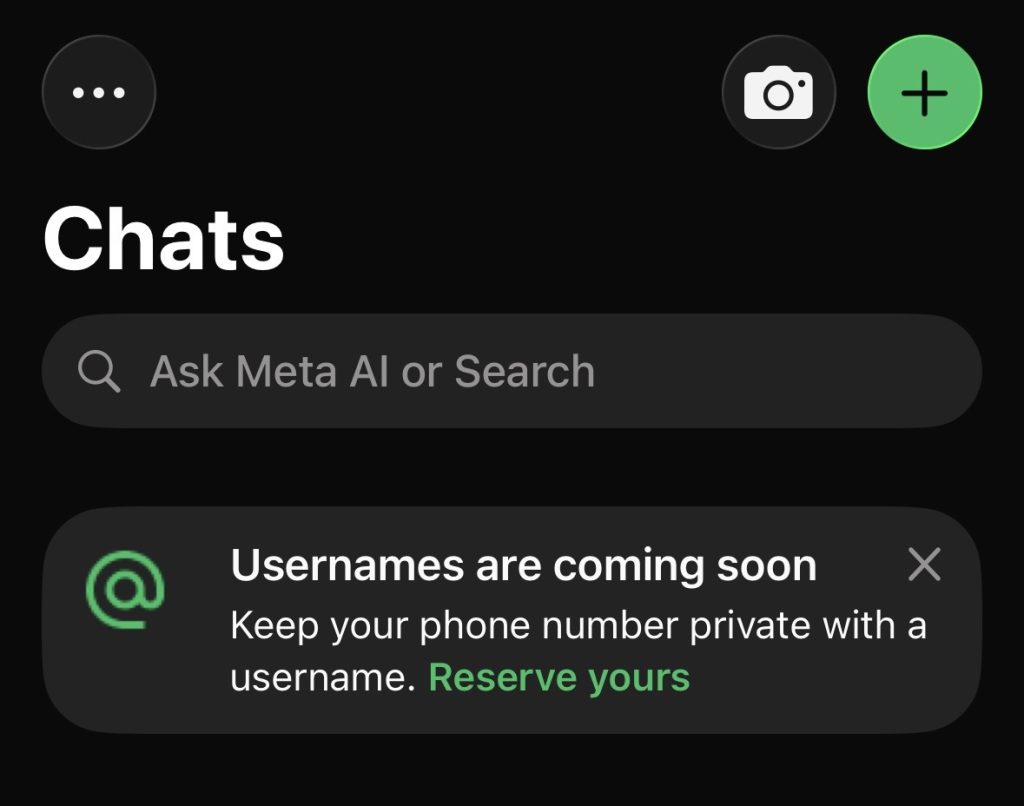
Yesterday I opened WhatsApp and saw a banner at the top of my chats: “Usernames are coming soon. Keep your phone number private with a username.”
That was it. Thirty seconds, done.
But as someone who spends their days managing brands online, I knew right away this was bigger than it looked. So let me break it down for you.
What actually changed
WhatsApp is letting you pick a username, so you can chat without giving out your phone number.
Meta confirmed it on June 29. It is rolling out to around three billion users. Until now, the only way someone could message you was with your number. Soon, you just hand them a username and the conversation starts. No number needed.
Reservations are open now. The full feature, where people can actually message you by your username, comes over the next few months, country by country. WhatsApp will ping you when it is live where you are.
So do not wait for launch day. Grab your name now.
Why your number was the weak spot
We give out our phone numbers without a second thought. A new client. A supplier. A group chat for some event you joined once. Every time, that number travels further than you meant it to.
Your number is a way to call you, but it is also a key. It sits behind your bank, your login codes, your delivery apps, basically every account you own. Once it is out there, you cannot pull it back.
A username cuts that link. You share a name, people reach you, your number stays yours. Simple.
The clever bit: the username key
WhatsApp built this with privacy switched on by default. No public directory. No browsing. No “people you may know.” If someone wants to message you, they need your exact username. Nothing is searchable.
And there is one more layer: the username key. It is a short code that works like a second lock. Turn it on, and your username alone is not enough. People need the username and the key to reach you.
So you get to choose. Leave the key off and your username is open, easy to share on your bio, your card, your LinkedIn. Turn it on and it goes private, shared only with the people you actually want messaging you.
Your call. And you can change it anytime.
Remember, this is a Meta thing
WhatsApp does not live on its own. It is part of the Meta family, right alongside Instagram, Facebook, Messenger, and Threads.
Those apps have run on usernames for years. WhatsApp was the odd one out, still tied to your phone number. Now it is catching up. Meta even lets you claim your existing Instagram or Facebook username on WhatsApp, so your handle stays the same across the apps your audience already uses.
That consistency is the whole game. One name. Recognisable everywhere.
What I would do if you run a brand
Treat this like any handle drop. The good names go first, and they do not come back.
Here is my quick advice:
Claim it now. It is free and takes thirty seconds. Do not let someone else take your name. I grabbed mine the second I saw the banner.
Match it across platforms. Same handle on Instagram, Threads, and WhatsApp. Easy to find, easy to trust. The only reason to do something different is if you want to stay low key on a certain app.
Pick your privacy on purpose. WhatsApp is a public contact line for your business? Leave the key off. It is your personal number? Turn the key on and share it only with your people.
Announce it. When it goes live in your country, a simple “you can now reach me at @yourhandle on WhatsApp” is a clean post that gives people a new way to find you.
Let me be straight with you
Reserving your name today does not hide your number yet. That kicks in once the full feature launches in your country, which could be weeks or months away. People who already have your number will still see it. And like any handle system, fakes will pop up, so a recognisable name matters more than ever.
How to reserve yours
Under a minute. Update your app first, then:
On iPhone: open WhatsApp, tap You, then Account, then Username.
On Android: tap the three dots top right, then Settings, then Account, then Username.
Pick it, confirm, done. You will land on a “Username reserved” screen, and the name is yours.
My take
Your phone number has done its job for years. It was never meant to be your public identity.
This fixes that, and it brings WhatsApp in line with the rest of the apps your audience already lives in.
Thirty seconds to protect my number and lock in my name on one more platform. I will take that deal every time.
I reserved mine yesterday. The real question is whether your name is still free when you go looking.
Smile. Create. Inspire. 💛
Take Care,
Your fav Social Media Manager ☀️
Quick FAQ
Is it free? Yes. Reserving and using a username costs nothing.
Do I have to use one? No. It is optional. Do nothing and WhatsApp works exactly as it does today.
Will people still see my number? Once it fully launches in your country, new contacts see your username instead of your number. People who already have your number will still see it.
What is a username key? An optional short code that acts as a second lock. With it on, people need both your username and your key to message you.
Can I change my username later? Yes. But pick a strong, consistent one from the start and save yourself the hassle.